

GCSE
Computer Science
-
Introduction to GCSE Computer Science -
1.1 Systems Architecture -
1.2 Memory and Storage -
1.3 Computer Networks, Connections and Protocols -
1.4 Network Security -
1.5 Systems Software -
1.6 Ethical, Legal, Cultural and Environmental Impacts of Digital Technology -
2.1 Algorithms -
2.2 Programming Fundamentals -
2.3 Producing Robust Programs -
2.4 Boolean Logic -
2.5 Programming Languages and Integrated Development Environments
1. Computer Systems
2.5.2 The Integrated Development Environment (IDE)
In this lesson, we will explore the common tools and facilities available in an Integrated Development Environment (IDE) that aid programmers in developing programs.
Integrated Development Environments (IDEs)
An Integrated Development Environment (IDE) is a software application that provides a comprehensive set of tools and features to facilitate software development. It serves as a centralised platform where programmers can write, edit, compile, debug, and manage their code efficiently. IDEs are designed to streamline the development process, making it easier for developers to create, test, and deploy software applications.
Analogy
Think of an IDE as a Swiss Army knife for programmers. It combines all the essential tools like a code editor, debugger, and compiler in one place, just as a Swiss Army knife packs scissors, knives, and screwdrivers together.
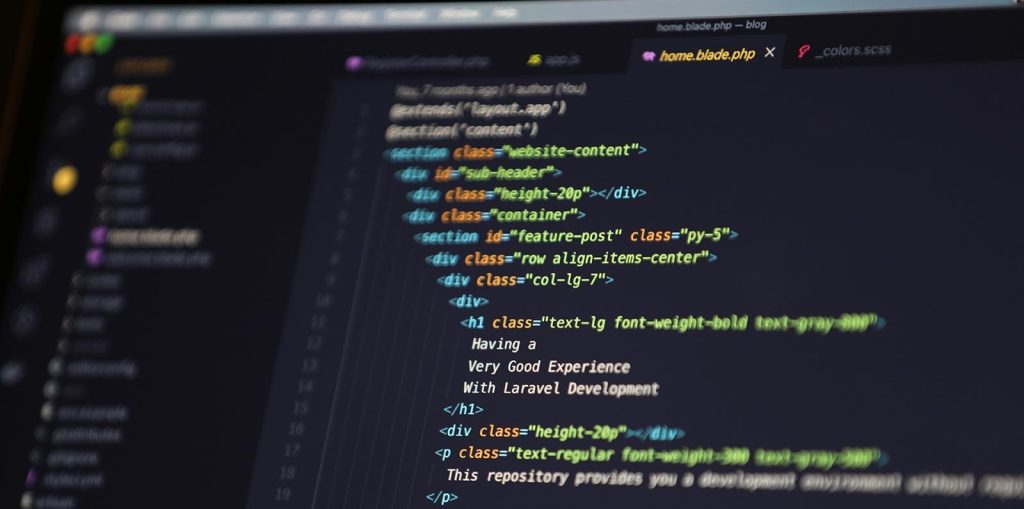
Each tool supports a different stage of development, helping programmers produce accurate and reliable programs more quickly.
| Tool | Description | How It Helps |
|---|---|---|
| Editors | An IDE typically includes a code editor that allows programmers to write, edit, and manage their source code. Code editors provide essential features such as syntax highlighting, auto-indentation, code completion, and code folding, making coding faster and more efficient. | Code editors enhance the development process by providing a user-friendly interface to write, organise, and manage code. Features like syntax highlighting and auto-completion help catch errors early and improve code readability, leading to faster development and reduced mistakes. |
| Error Diagnostics | IDEs include built-in error diagnostics that help identify syntax errors, logical errors, and potential issues in the code. These diagnostics highlight errors as you type, allowing you to fix them immediately, which significantly speeds up the debugging process. | Error diagnostics offer real-time feedback on potential issues in the code. As you write, the IDE highlights errors, allowing you to quickly spot and fix them. This feature promotes writing clean and error-free code, saving valuable time during the development phase. |
| Run-Time Environment | IDEs provide a run-time environment to execute and test the code directly within the development environment. This feature allows programmers to observe the program's behaviour, check outputs, and identify runtime errors without leaving the IDE. | The run-time environment in an IDE enables programmers to test their code immediately without the need to switch to a separate execution environment. This feature facilitates rapid prototyping and debugging, as you can observe program behaviour instantly and make necessary adjustments. |
| Translators | Translators, such as compilers and interpreters, are an integral part of an IDE. They convert the high-level source code written by the programmer into machine-readable code that the computer can execute. | Translators play a vital role in converting high-level code into machine code, enabling the program to execute on the target hardware. IDEs handle the translation process seamlessly, ensuring that the program runs correctly without the need for manual compilation or interpretation. |
Continue the lesson
This section is available to learners with course access. Continue learning with Knowness to unlock the full explanation, examples, revision tools, and progress tracking.
The remaining lesson content includes further guided explanation, important learning points, and supporting interactive material designed to help you understand and revise this topic.
Unlock this topic to view the full activity, worked examples, common mistakes, and additional revision support.
More content available
Knowness lessons are structured to build understanding step by step. Create an account or upgrade your access to continue from this point.
This preview does not include the hidden lesson text, answers, explanations, or embedded interactions.
Continue learning with Knowness
Sign up to access the full lesson, predicted grades, revision tools, progress tracking, and more.
Create a free accountIntegrated Development Environments (IDEs)
- An IDE (Integrated Development Environment) is a software suite that helps programmers write, test, and debug code efficiently.
- Common IDE tools include:
- Editor: Allows writing and editing code, with features like syntax highlighting, code completion, and folding.
- Error Diagnostics: Detects and highlights syntax and logic errors as you write, helping fix issues quickly.
- Run-time Environment: Lets you run and test your code within the IDE itself, offering instant feedback.
- Translators: Built-in compilers and interpreters convert source code into machine-readable format for execution.
- IDEs streamline development, reduce errors, and allow programmers to test and improve their code rapidly.
- Practical use of IDEs involves writing, editing, running, debugging, and translating code all within one environment.