

GCSE
Computer Science
-
Introduction to GCSE Computer Science -
1.1 Systems Architecture -
1.2 Memory and Storage -
1.3 Computer Networks, Connections and Protocols -
1.4 Network Security -
1.5 Systems Software -
1.6 Ethical, Legal, Cultural and Environmental Impacts of Digital Technology -
2.1 Algorithms -
2.2 Programming Fundamentals -
2.3 Producing Robust Programs -
2.4 Boolean Logic -
2.5 Programming Languages and Integrated Development Environments
1. Computer Systems
1.5.1 Operating Systems
In this lesson, we will explore each aspect of the operating system, examining its crucial functions and how it efficiently manages computer resources.
User Interface
The user interface (UI) serves as the primary means of interaction between users and the operating system. It provides a platform through which users can access and interact with applications and system features. The features of a user interface include:
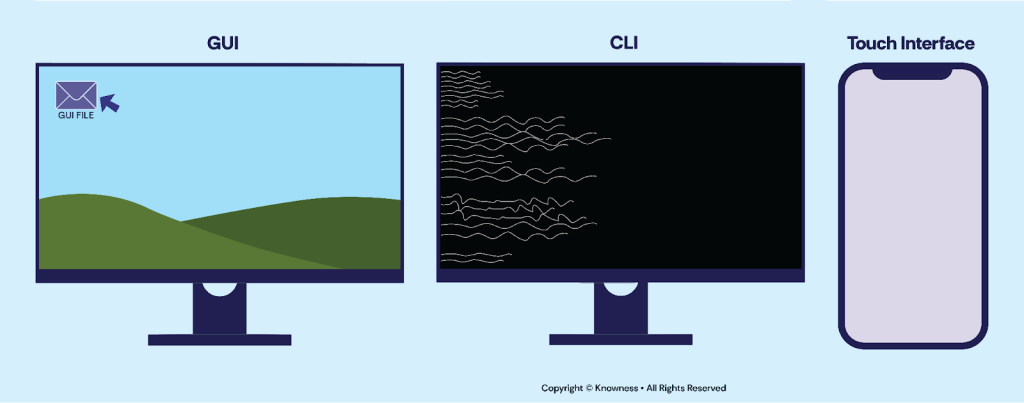
- Graphical User Interface (GUI): A GUI offers a visually intuitive environment with icons, menus, buttons, and windows that users can interact with using a mouse or touchpad. GUIs simplify the user experience, making it easier to navigate and perform tasks.
- Command-Line Interface (CLI): In contrast to GUIs, a CLI allows users to interact with the operating system using text-based commands. Users type specific commands to execute tasks, offering more control and flexibility for experienced users and administrators.
- Touch Interface: Designed for devices with touch-sensitive screens, such as smartphones and tablets, touch interfaces enable users to interact with the operating system through gestures like tapping, swiping, and pinching.
Continue the lesson
This section is available to learners with course access. Continue learning with Knowness to unlock the full explanation, examples, revision tools, and progress tracking.
The remaining lesson content includes further guided explanation, important learning points, and supporting interactive material designed to help you understand and revise this topic.
Unlock this topic to view the full activity, worked examples, common mistakes, and additional revision support.
More content available
Knowness lessons are structured to build understanding step by step. Create an account or upgrade your access to continue from this point.
This preview does not include the hidden lesson text, answers, explanations, or embedded interactions.
Continue learning with Knowness
Sign up to access the full lesson, predicted grades, revision tools, progress tracking, and more.
Create a free accountUser Interface
- The user interface (UI) allows users to interact with the operating system and its features.
- GUI (Graphical User Interface): Uses icons, menus, and windows for intuitive interaction.
- CLI (Command-Line Interface): Requires typed commands for control; powerful for advanced users.
- Touch Interface: Designed for touchscreens using gestures like tap, swipe, and pinch.
Memory Management and Multitasking
- Memory management ensures efficient RAM usage and system stability.
- Virtual Memory: Uses a section of the hard drive as temporary RAM when physical RAM is full.
- Process Scheduling: Allocates CPU time to processes, enabling multitasking.
Peripheral Management and Drivers
- Peripheral management handles communication between the OS and external devices.
- Device Drivers: Software that allows the OS to communicate with hardware.
- I/O Management: Manages data flow between the CPU and peripheral devices.
User Management
- User management creates and controls user accounts and access rights.
- Account Allocation: OS assigns user accounts with personalised settings.
- Access Rights: Permissions control access to files and system resources.
- Security: Includes password policies and account protection to prevent unauthorised access.
File Management
- File management involves organising and controlling files and folders.
- Naming: Assigns descriptive file names.
- Folder Allocation: Groups files into directories for organisation.
- Moving, Copying, Deleting: Supports efficient file handling and storage.
- Saving: Stores data safely to storage devices.